


Erge Asia — An integrated digital ecosystem that connects international shipping, marketplace sellers, purchase assistance services, and business management in one platform — supported by AI technology, digital wallet systems, and a global logistics network to over 100 countries.
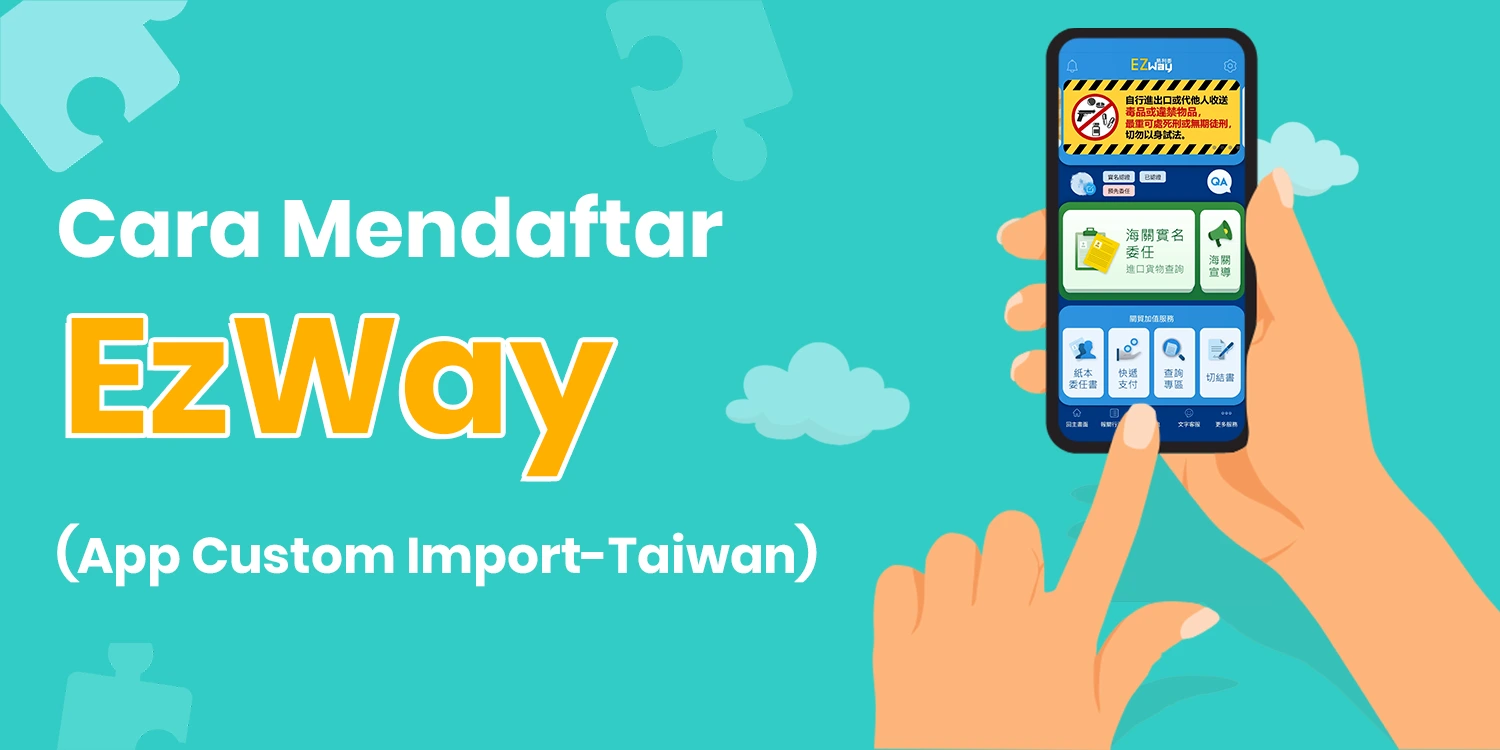
Based on new regulations from Taiwan Customs, individual importers are required to perform real-name authentication for all goods imported on their personal behalf. This step aims to prevent identity theft and ensure supervision of illegal or prohibited goods.
Here is the registration guide EzWay professionally and easily from Erge Asia. Follow the 8 stages below to complete the registration.
EzWay Registration Guide (8 Stages)
Download the EzWay application according to your device:
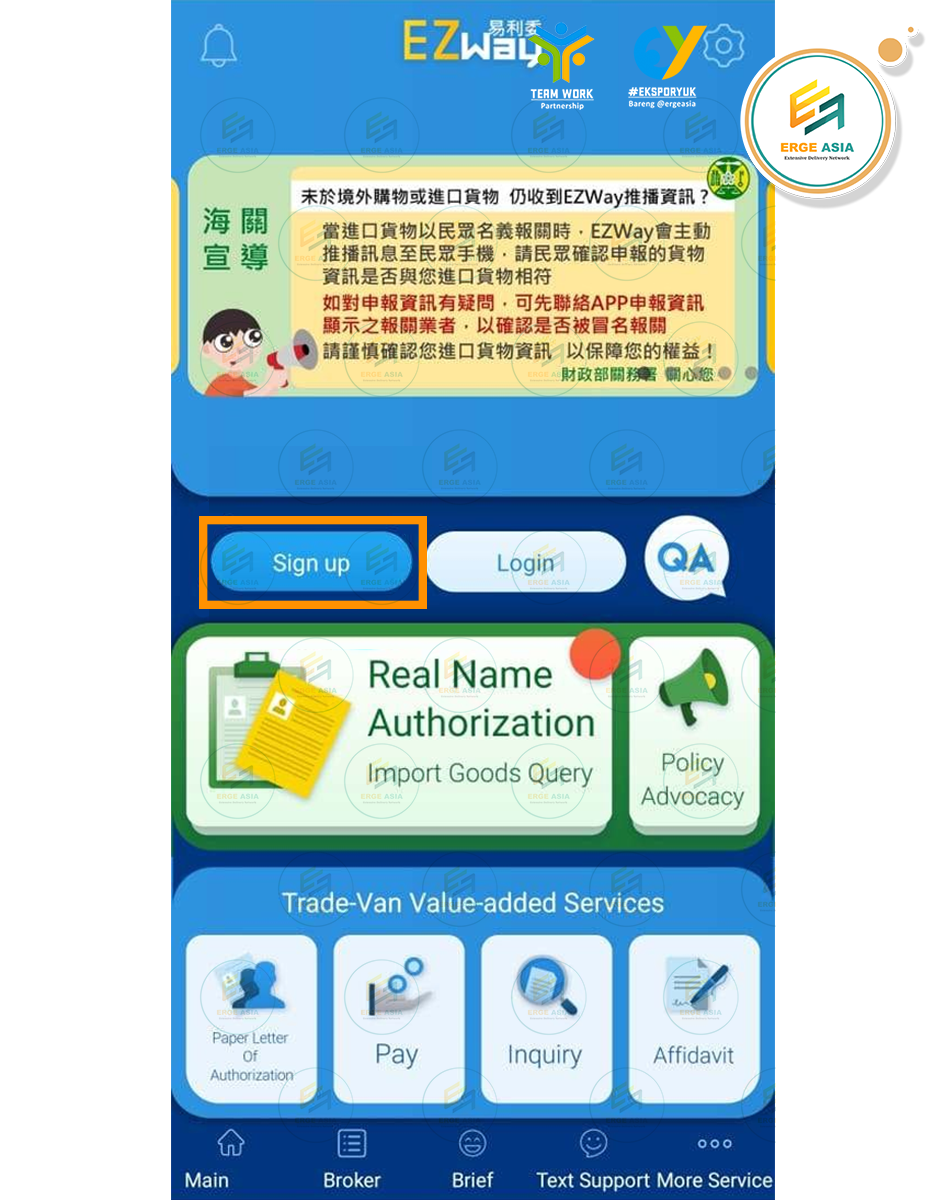
Press {Sign up} to start the registration process.
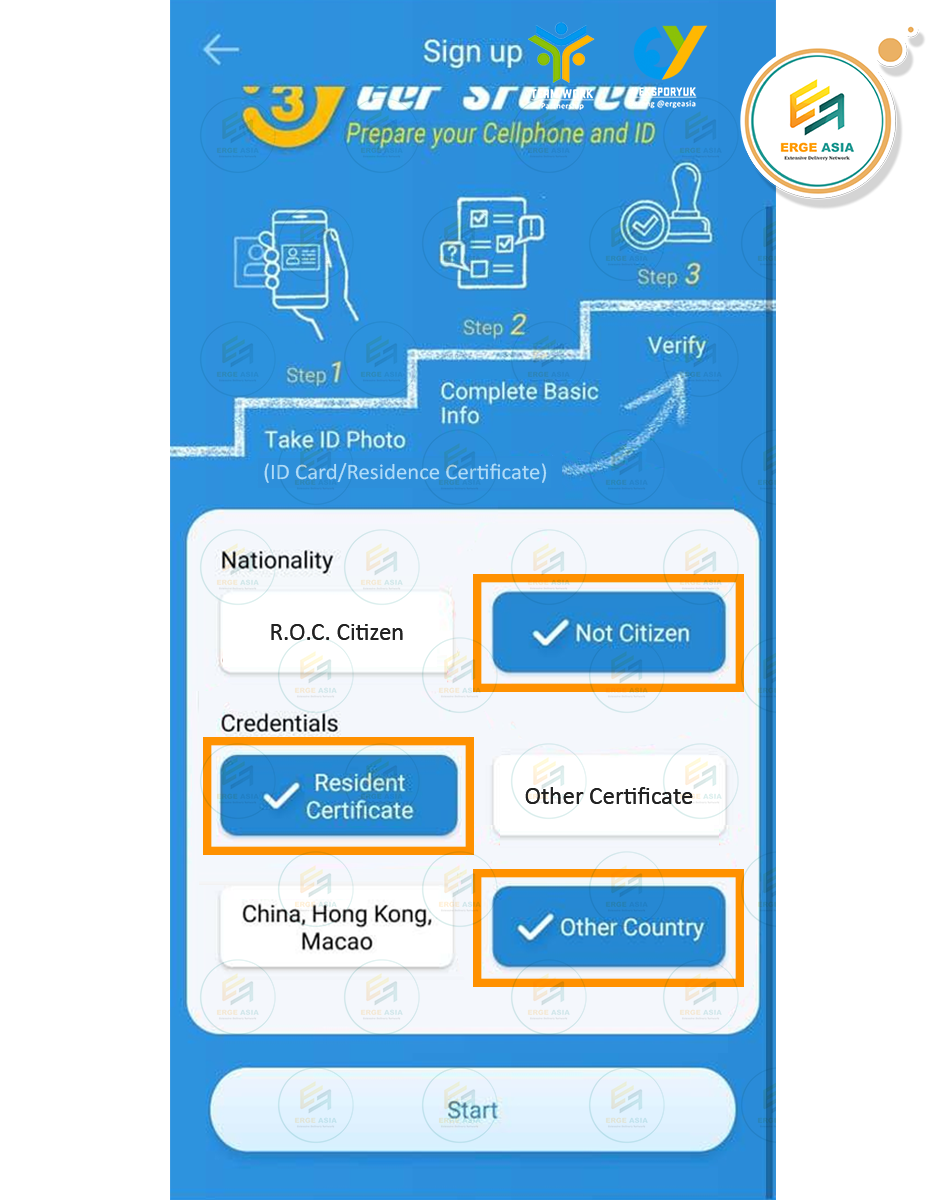
Select {NOT CITIZEN}
Click {RESIDENT CERTIFICATE}, then select {OTHER COUNTRY}
Press {START} to continue
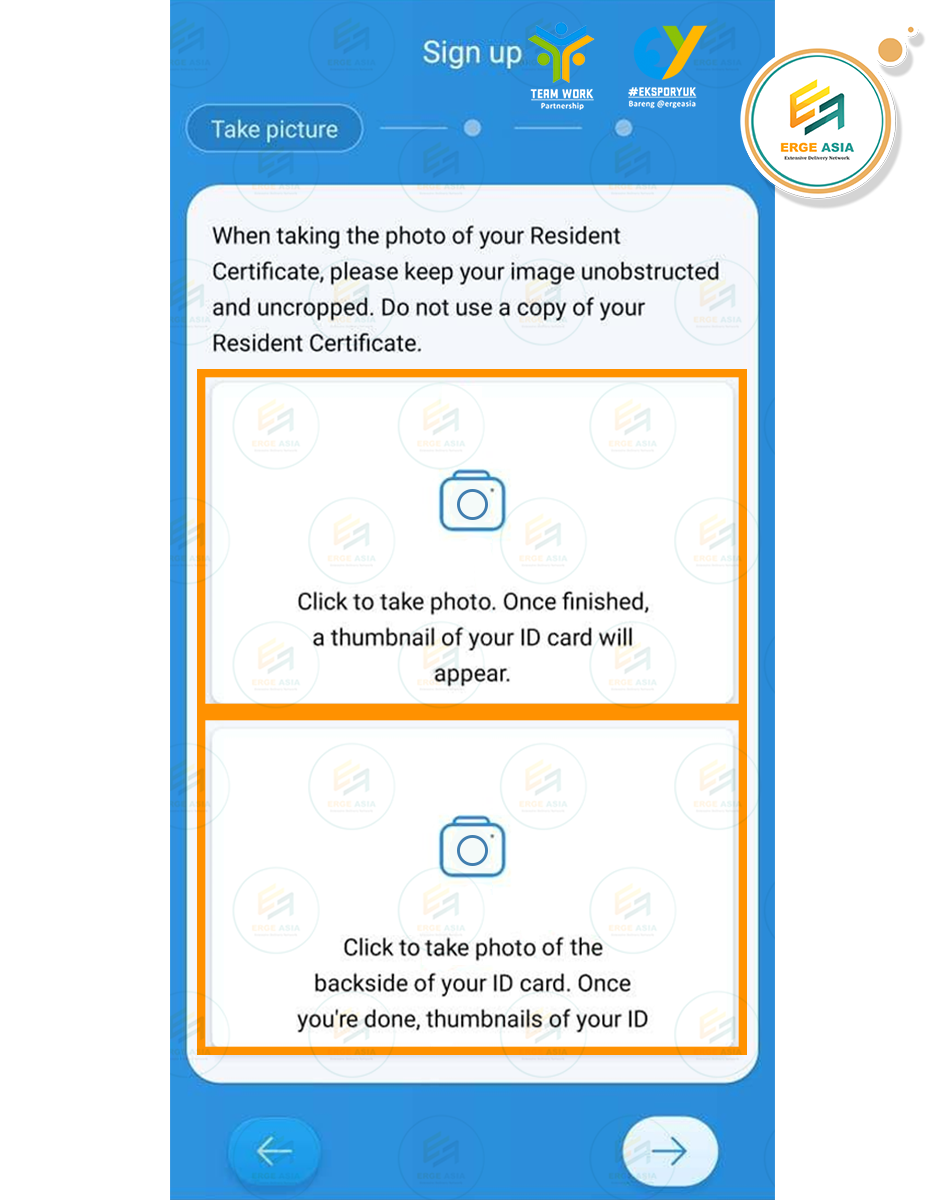
Take a photo Front Side Your ARC/ID
Take a photo Back Side Your ARC/ID
Press Right Arrow to continue
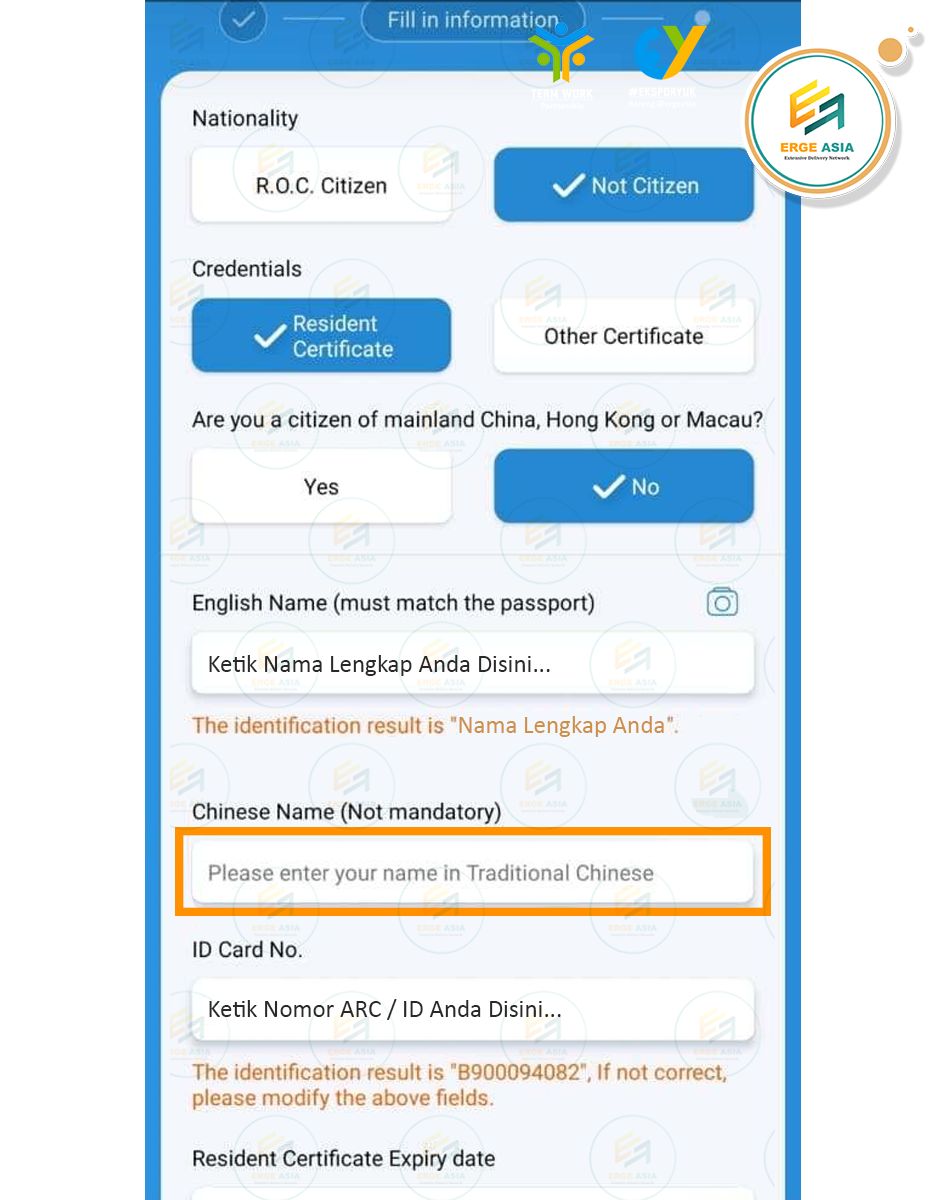
English Name: Fill in according to the name on your ARC/ID
Chinese Name: Chinese name optional
ID Card No: Identity number on ARC
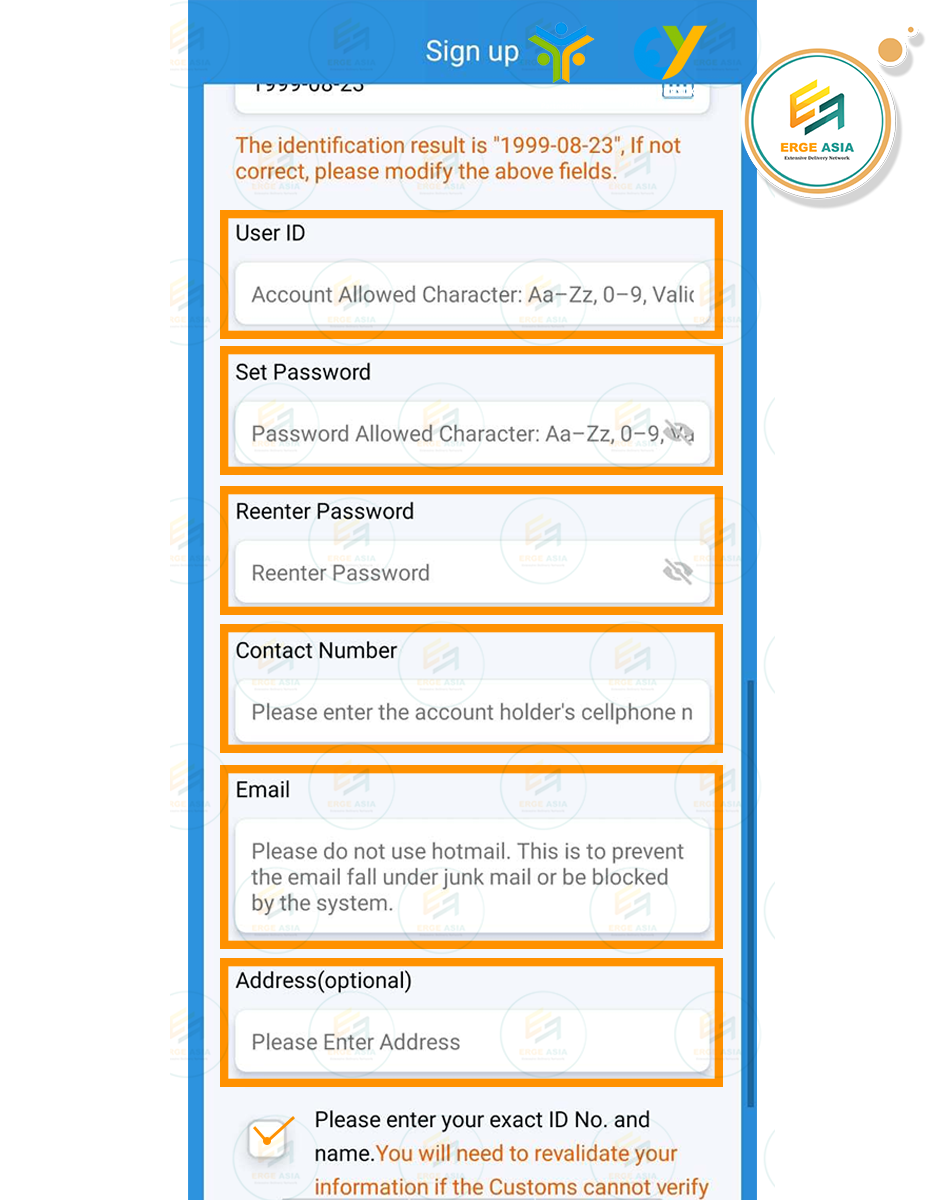
User ID: Determine your account name (e.g. ErgeAsia)
Set Password & Reenter Password: Enter password
Contact Number: Taiwan phone number (without country code)
Email: Active email except @hotmail
Address: Residential address in Taiwan optional
Check all data, tick confirmation, then press Right Arrow
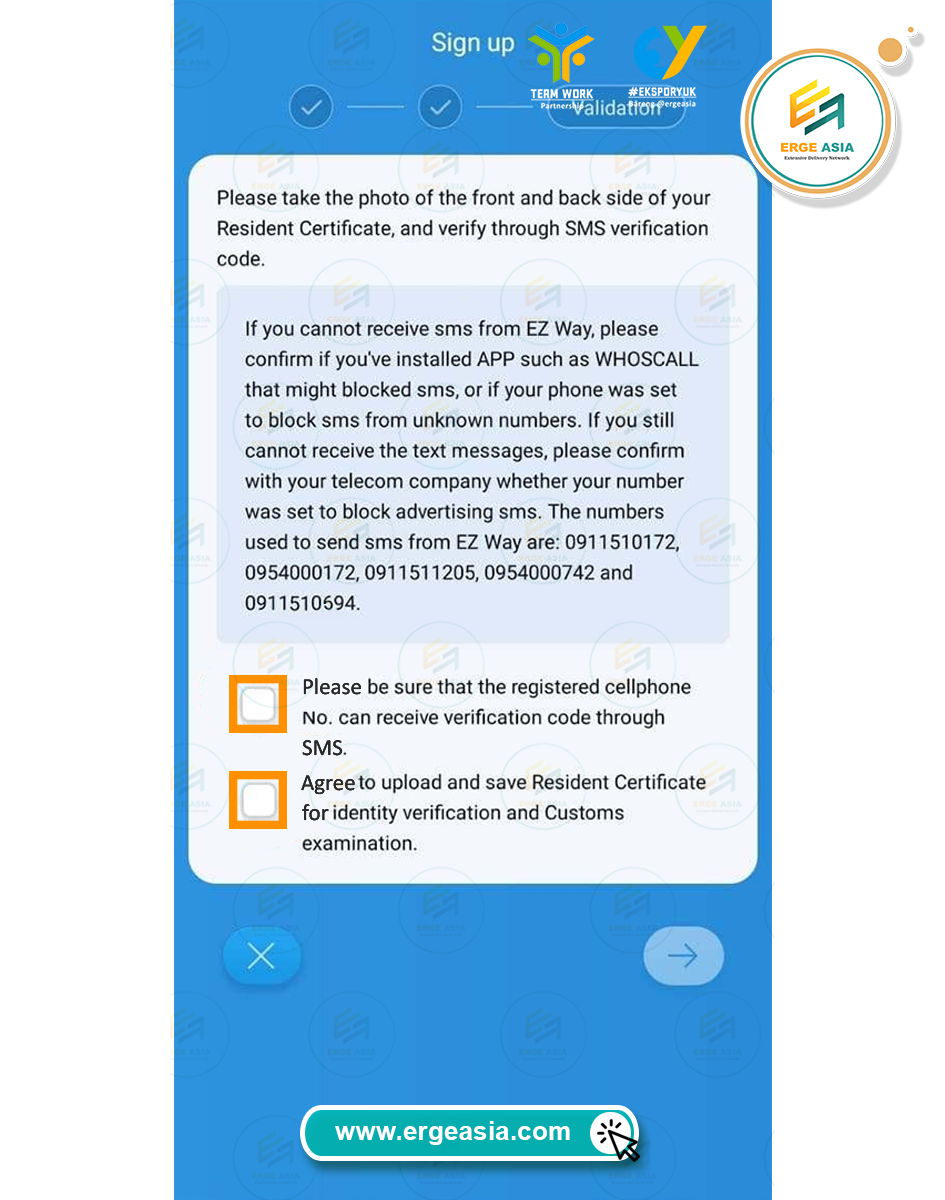
Tick both Radio Button to agree to the terms
Press Right Arrow
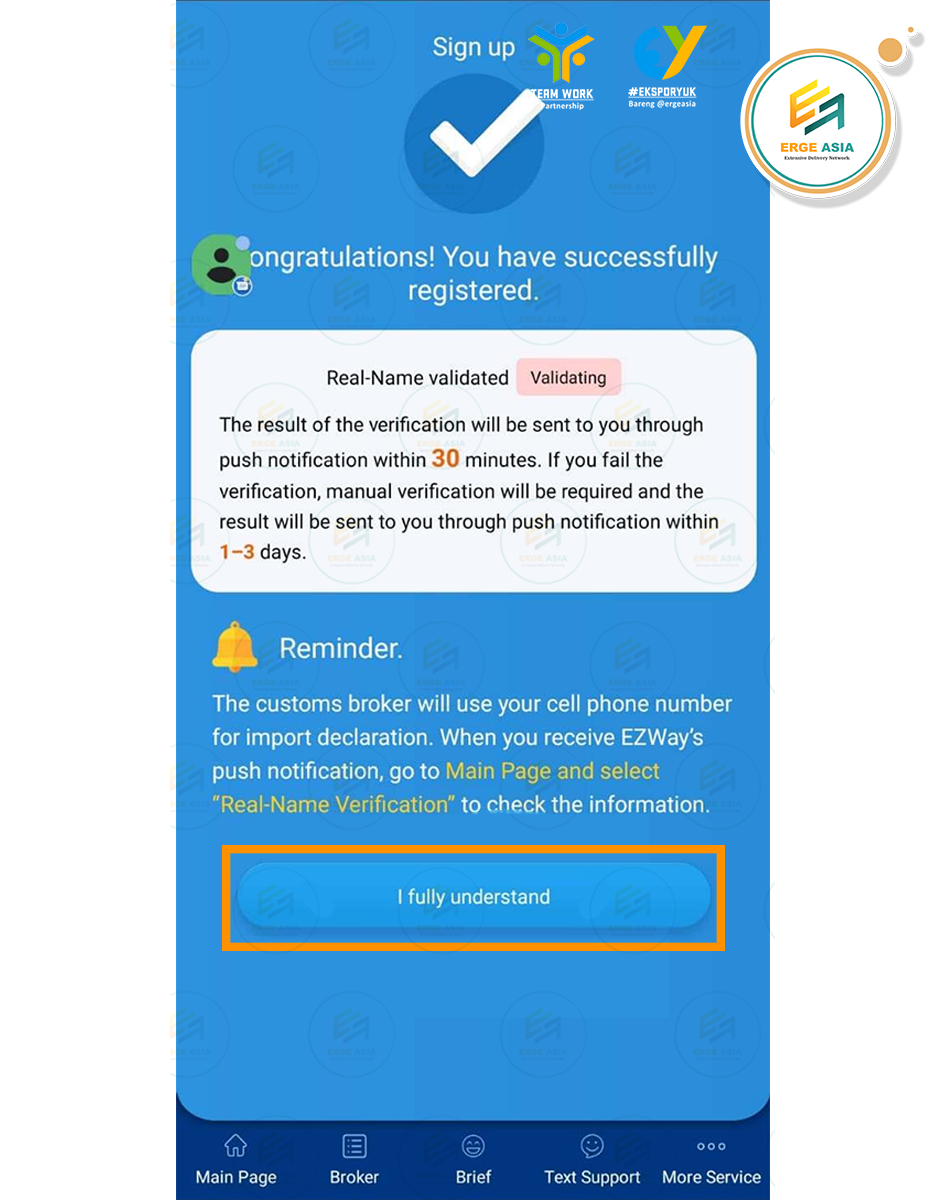
Press {I Fully Understand} to continue
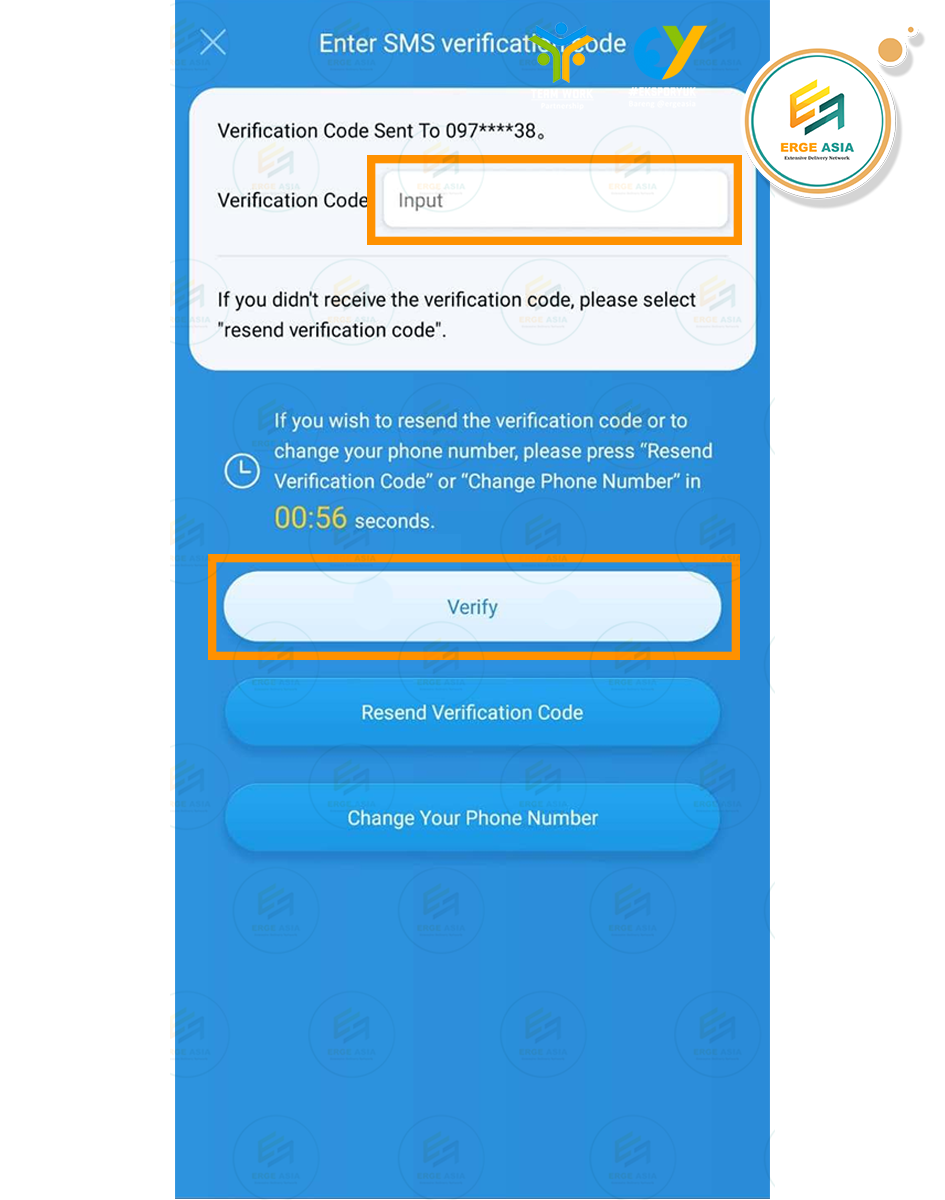
Enter the verification code sent via SMS to your number
Press {Verify} to complete the registration process
You have successfully registered in the EzWay system quickly and securely. Contact Erge Asia if you need help.